
Merchant Hosted Customer Journey - Banking Connect
NBBL Banking Connect is PayU's implementation of NPCI Bharat BillPay Limited's standardized NetBanking framework. It keeps the trust and high-value capability of NetBanking while replacing the checkout experience built around bank-website credentials with a mobile-first, password-free flow.
What changes for the customer
The customer selects a bank at checkout and authenticates inside that bank's app. Depending on the device and available bank flow, the customer either opens the app through an intent deep link or scans a QR code displayed on the checkout page.
The customer uses the bank app's authentication method, such as biometrics or an app MPIN. The customer does not enter NetBanking credentials on a merchant or PayU page.
If the selected bank app is not installed, or the app-first path is not enabled, the journey can fall back to the bank website NetBanking flow.
Payment flows
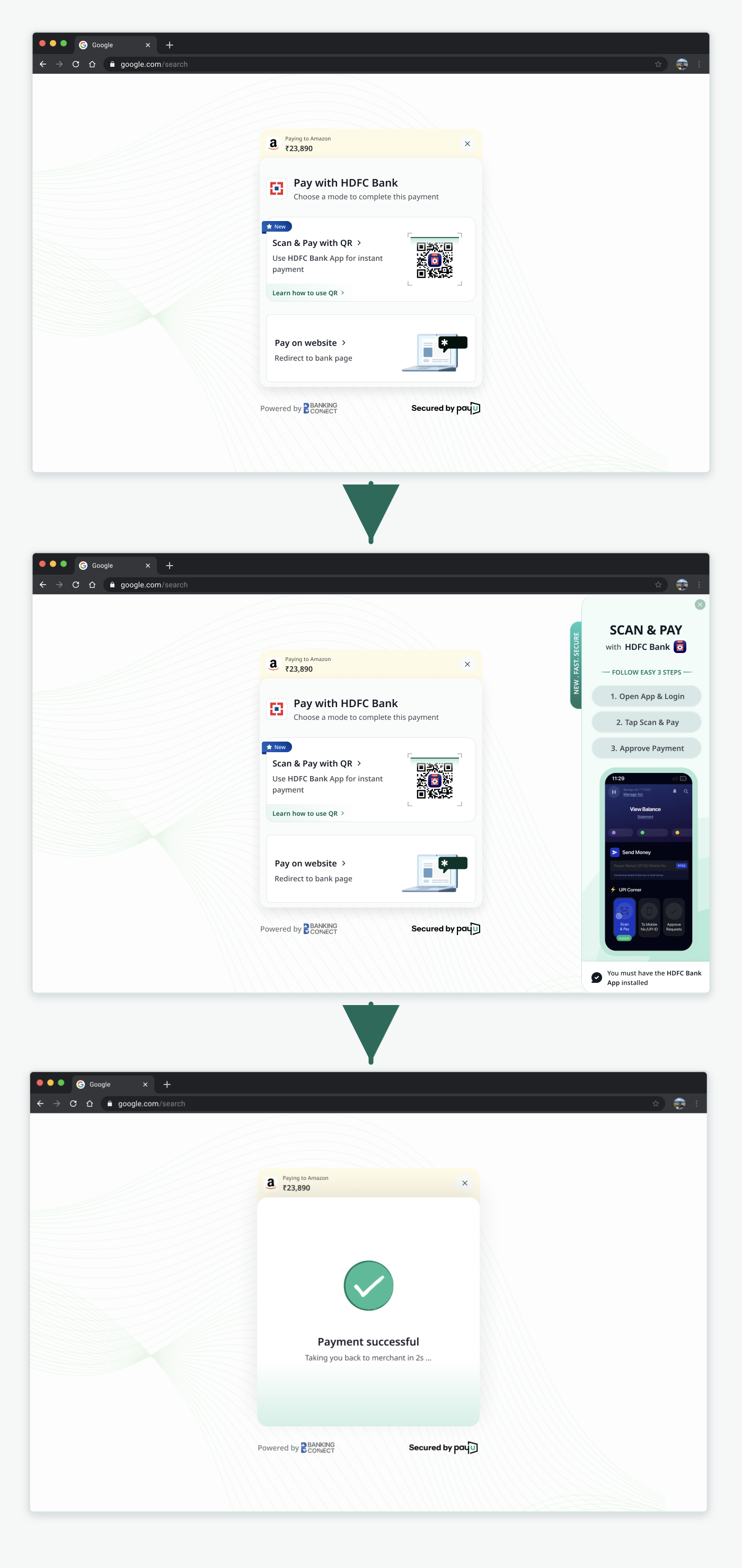
Desktop QR flow
- The customer selects a bank under NetBanking.
- PayU offers the available payment modes, such as QR or the bank website.
- PayU displays a NetBanking QR code.
- The customer scans the QR code with the bank's mobile app.
- The customer authenticates in the bank app.
- The customer confirms the debit account.
- PayU displays the payment result to the customer and merchant.
Mobile app-intent flow
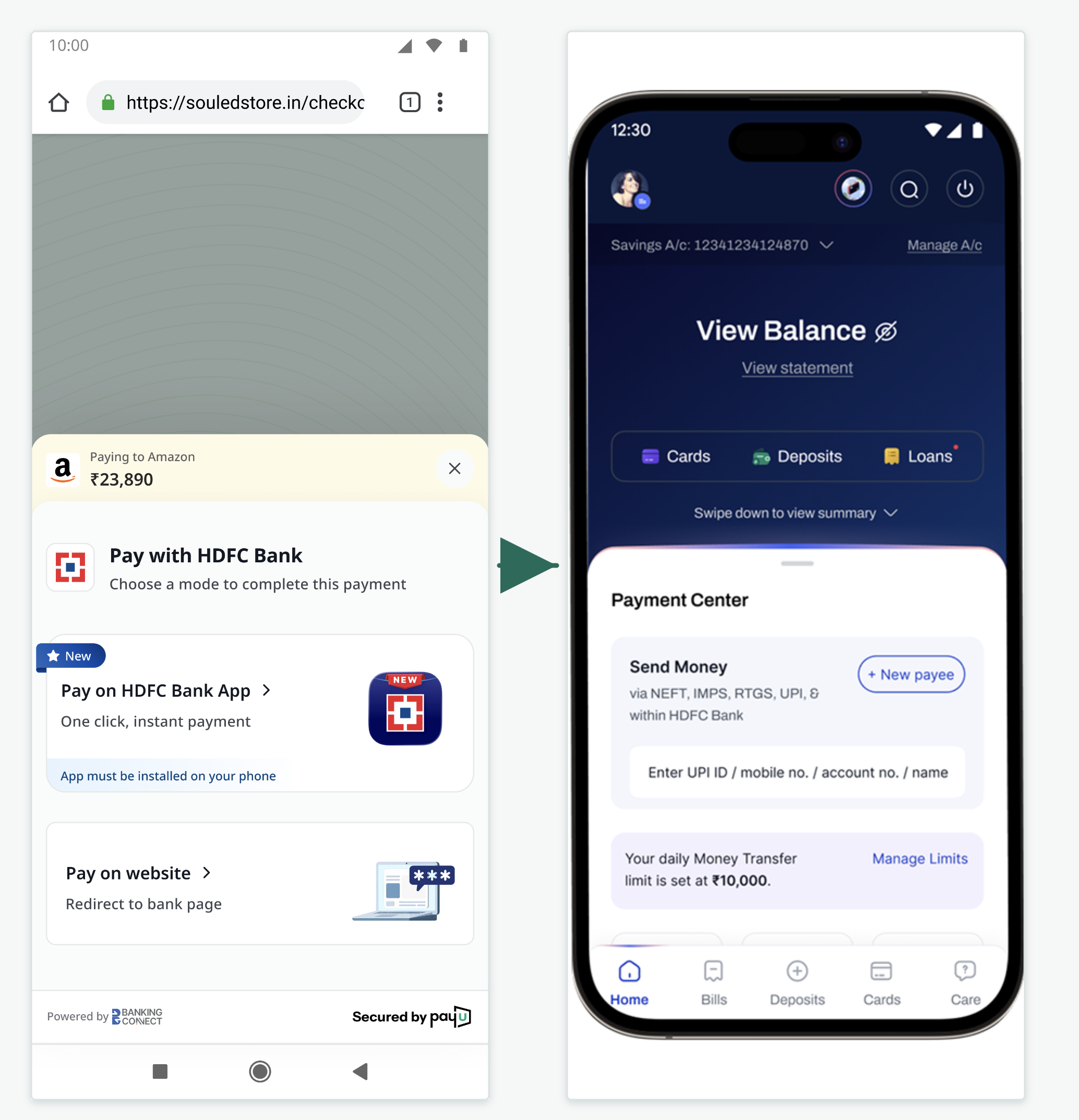
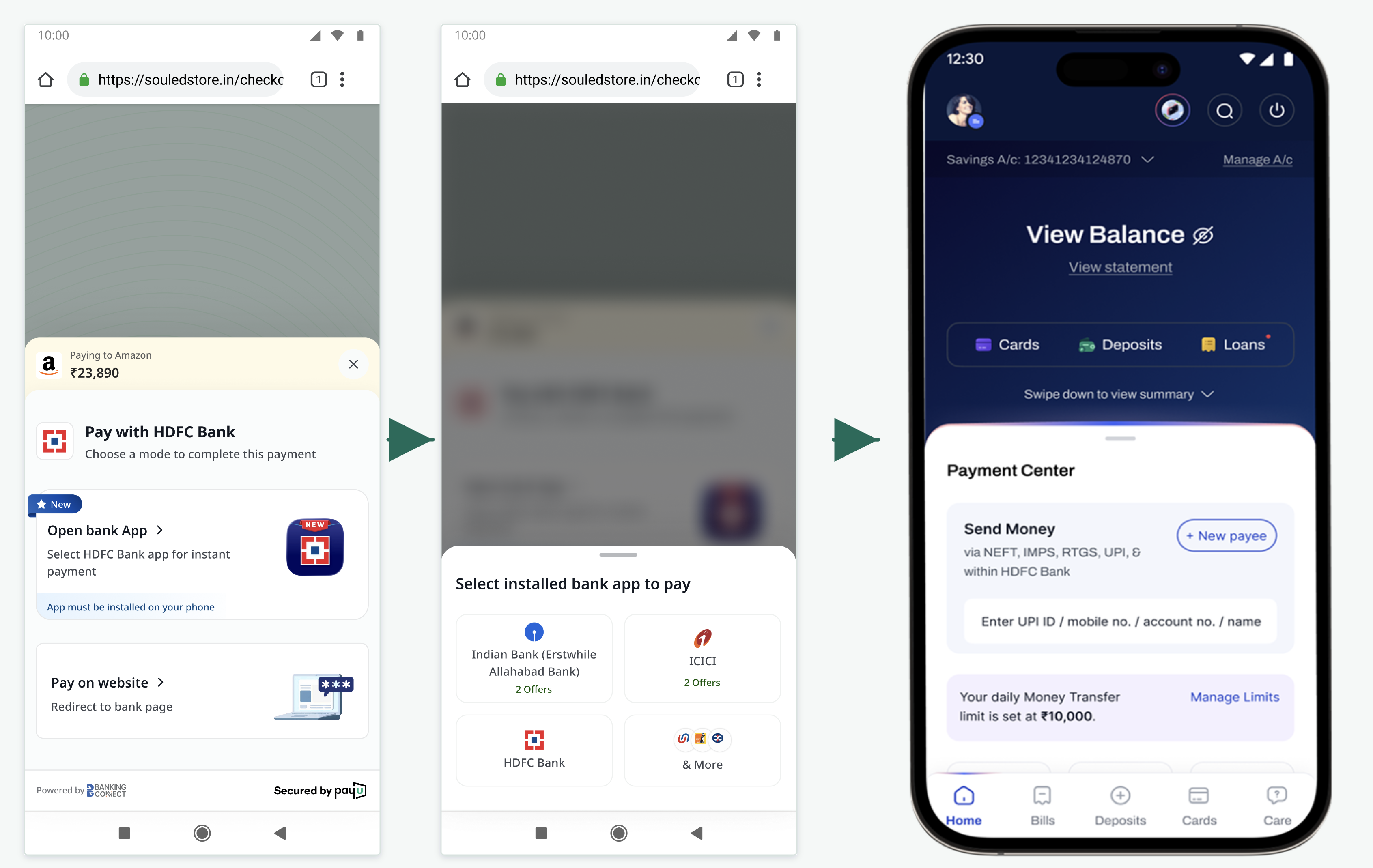
- The customer selects a bank under NetBanking.
- PayU offers the option to pay through the selected bank app.
- PayU opens the installed bank app through a deep link.
- The customer authenticates in the bank app with biometrics or an app MPIN.
- The customer confirms the debit account.
- The customer returns to the merchant with the payment result.
iOS Device Customer Journey
Android Device Customer Journey
Website fallback
When the bank app is not installed or the app-first route is unavailable, the customer can continue with the familiar bank-website NetBanking journey.
Merchant Changes
- No integration changes required to enable the desktop based flow. Existing flow will work as is.
- To enable intent flow in mobile webview; please refer the document - Handle NBBL Deep-Links in WebView
Related documentation
Updated 20 days ago
