
Customer Journey - PayU Hosted Checkout
This section outlines the customer journey for Cross Border Liberalised Remittance Scheme (LRS) transactions using PayU Hosted Checkout (non-seamless integration). The journey incorporates the mandatory LRS declarations that customers must acknowledge before completing their payment.
The typical customer journey for PayU Hosted Checkout with LRS checks involves the following sequence:
-
Customer selects products/services on the merchant website and proceeds to checkout
-
Merchant prepares the payment request including the LRS Service Type
-
Merchant initiates the API call to PayU with these parameters.
-
Customer is redirected to the PayU Hosted Checkout page where they begin the payment process.
-
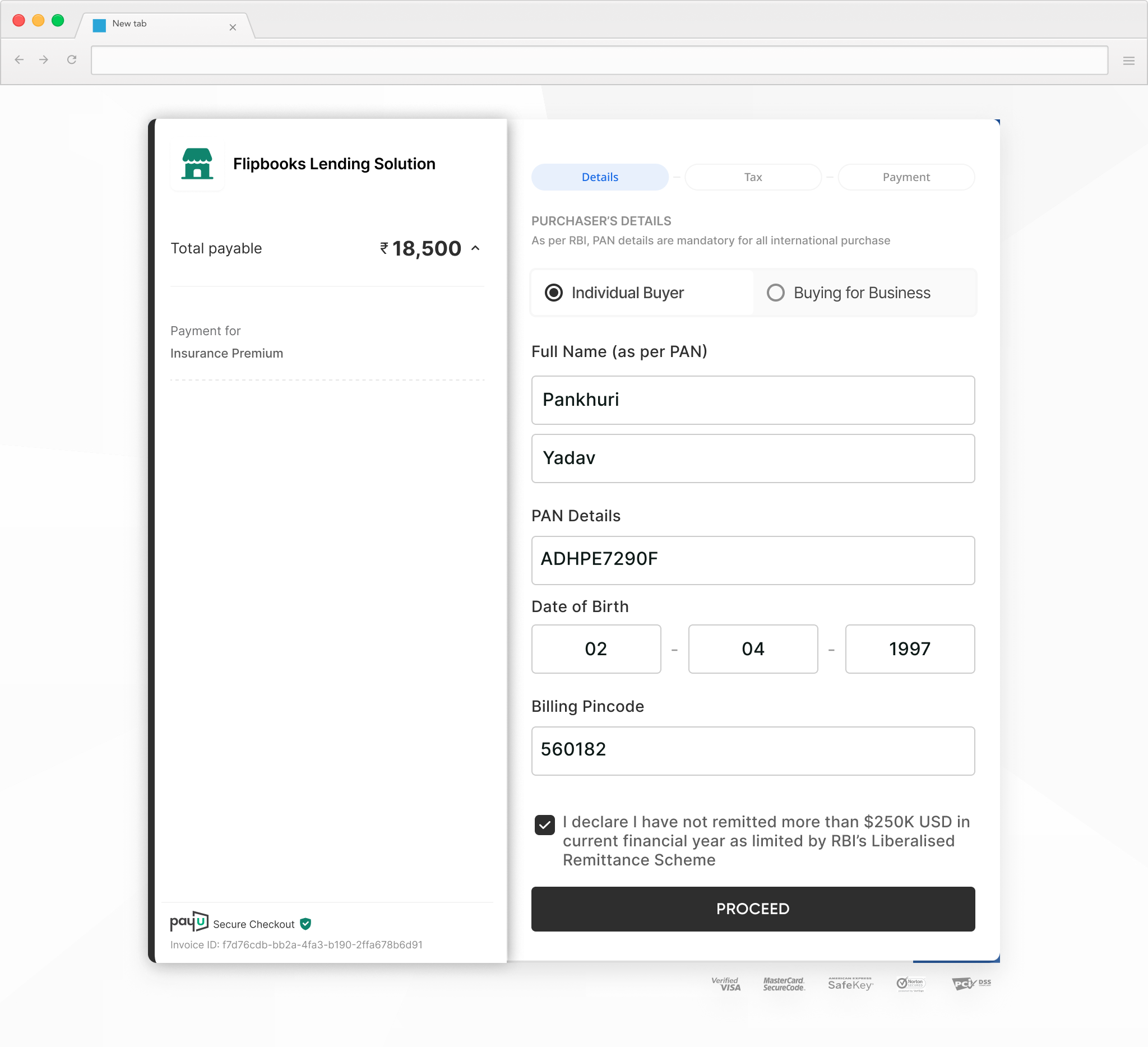
Customer provides the additional details and declarations for making the purchase under LRS:
- Selects the Individual Buyer
- Fills their personal details (Name as on PAN, PAN, DOB, pin-code) (required only for Individuals)
- Selects the mandatory LRS Declaration check box (at the bottom of the page) declaring that they are under the LRS limit of $250K USD in current financial year & agree to the buyer T&Cs.
-
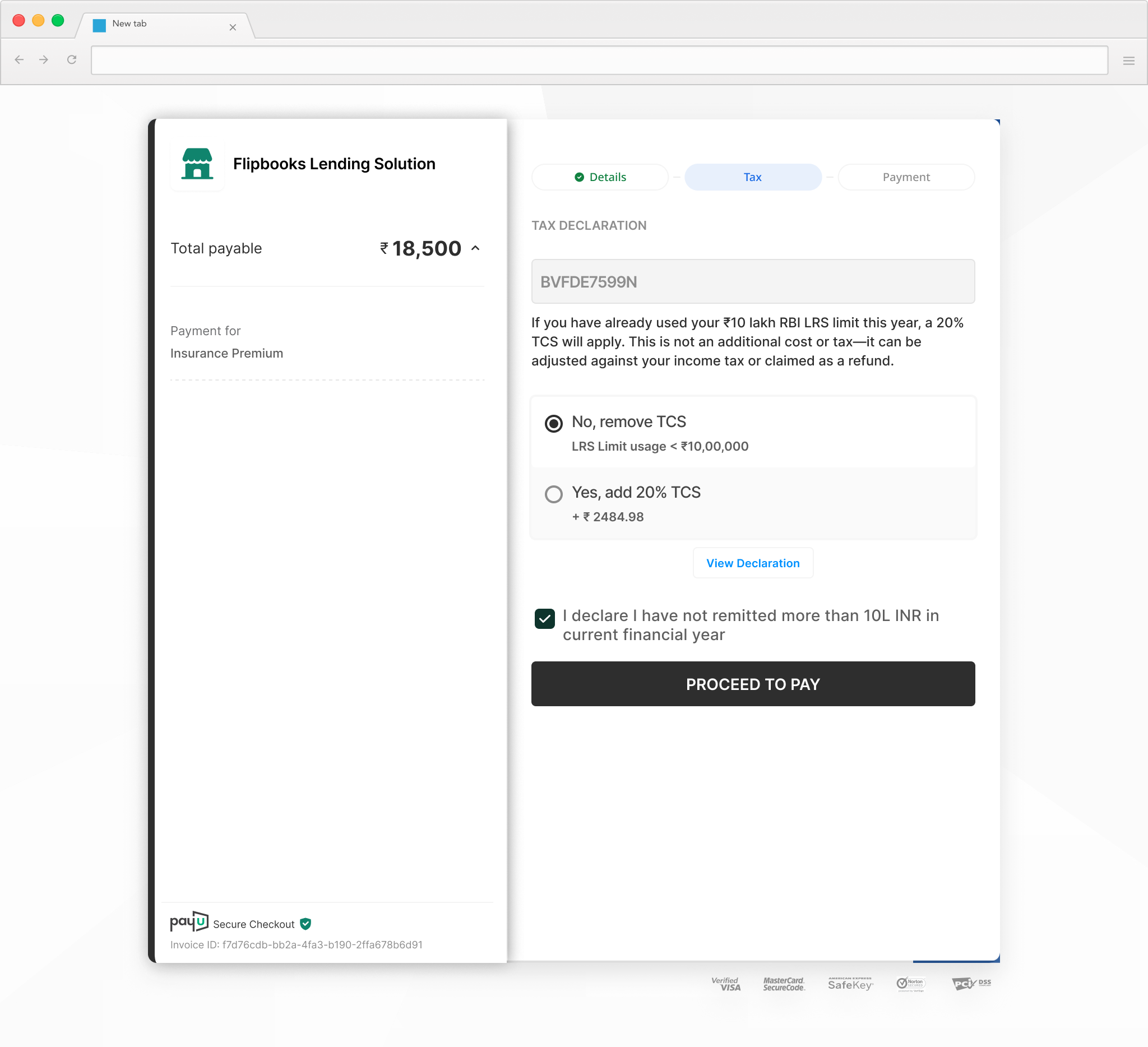
Customer provides the tax details and tax limit declaration for LRS:
- Shows TCS (Tax Collected at Source) options. As per the latest tax rules (effective April '26), an additional tax needs to be collected for individuals based on the category of payment
- The applicable tax rate is based on the LRS Service Type passed in the payment request.
If the transaction amount itself is greater than INR 10 lacs, the tax will be automatically added.
lrs_service_type Txn Amount <= INR 10 lacs Txn Amount > INR 10 lacs education_loan 0 0 education_non_loan 0 5% medical 0 5% travel 0% 20% others 0 20% - For transactions lower than INR 10 lacs, the buyer can declare that they are under the spend limit and pay no TCS.
- Alternatively, they can declare that they are over the INR 10 lacs limit and a TCS rate will be applied on the transaction amount
Tax remittance:PayU will collect the tax amount and get it deposited to local tax authorities via our partner AD-1 bank. This amount cannot be refunded, A receipt or proof of payment (challan) can also be shared on request basis.
This payment does not increase the tax liability of the buyer, it is only an advance tax payment and can be adjusted against the actual tax liability of the payer at the end of the financial year.
- The rest of workflow involves the collecting payment details. For more information, refer to PayU Hosted Checkout > Customer Journey.
Updated 8 months ago
