
Cordova UPI Bolt Mobile SDKs
PayU UPI Bolt SDK aims to streamline and enhance the merchants' payment process by:
- Providing a seamless in-app payment experience without any third-party redirection.
- Achieving a higher success rate, reducing customer drop-offs during payments.
- Offering features for profile management, including managing user accounts and balances.
- Improving the overall customer experience and supporting merchants in retaining their customers.
This part of the document includes the following SDK integrations:
Advantages
- One-click payment journey and no hassle of redirection to a third-party UPI application.
- Quick completion of transactions because of direct integration with the bank.
- Seamless user experience to the customers with in-app payment.
- Easy to integrate and get the advantage of existing customer profiles created with banks.
- 5-6% higher success rate and better transaction conversion.
- Merchants can take advantage of a complete user funnel to understand user behavior.
User Journeys in PayU UPI Bolt
Registration and Pay
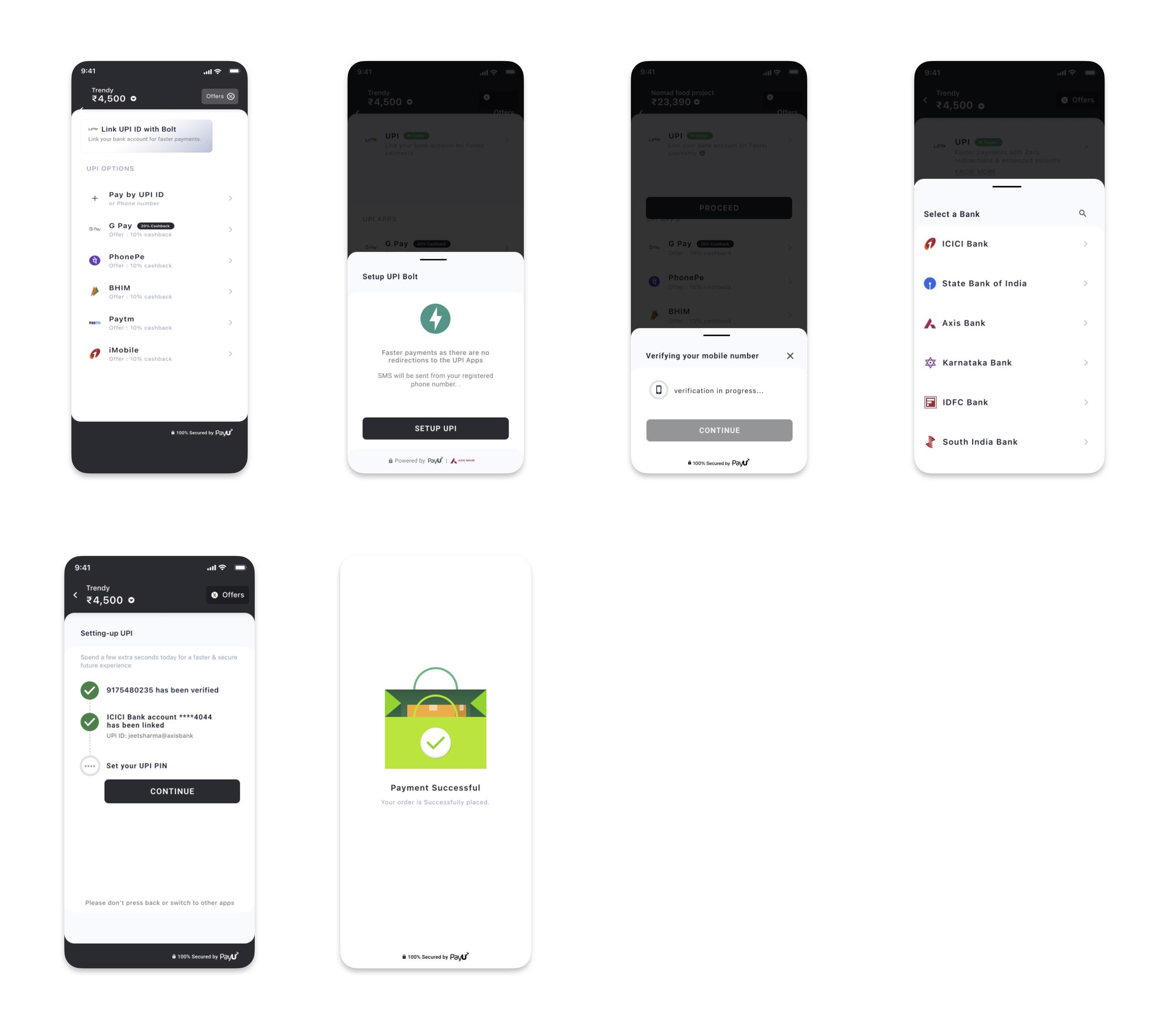
- Merchant Application can do the User registration for customers who are coming first time for PayU UPI Bolt. The Registration can be done during the checkout process or it can be called in a separate user journey. In case of Merchant is using PayU Checkout Pro SDK, PayU will take care of customer registration.
- Once the registration process is initiated, the user will be asked to accept the SMS sending permissions required to verify the SIM card. If the phone has dual SIM, the SIM card selection screen will be shown to customers to select the specific SIM card.
- After the device verification, UPI ID creation and the Bank selection will be done. Add bank journey will be completed after adding a bank account connected to the same mobile number used for device verification.
- Finally, customers can do a transaction using the added bank account. In case the customer is using the bank account for the first time they will need to set the MPIN as well.
- Finally, customers can make a transaction using the added bank account. If the customer is using the bank account for the first time, he will also need to set the MPIN.
Pay
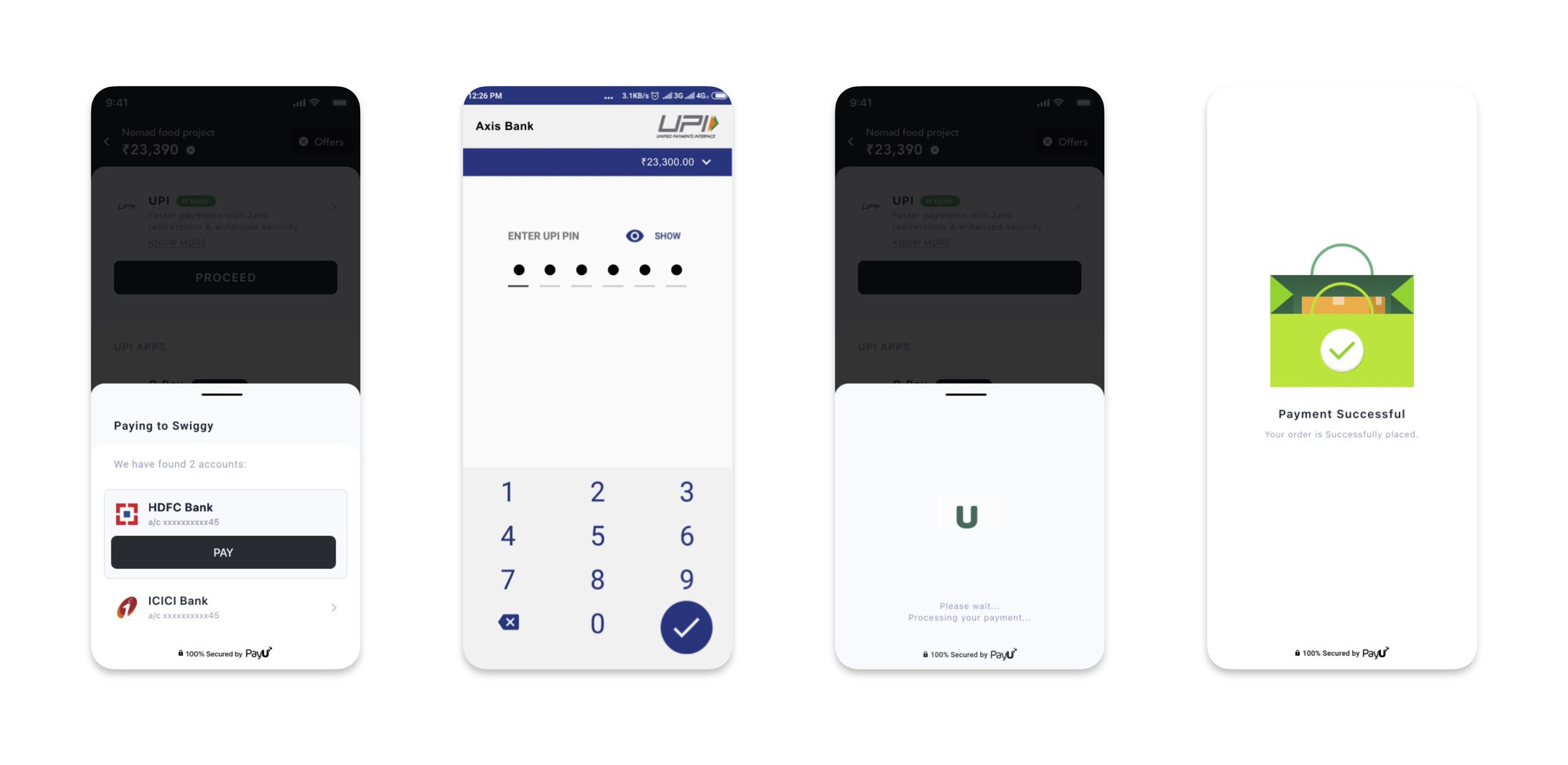
- Customers who are already registered with PayU UPI Bolt can make a One-click payment.
- The customer needs to select the already added bank account and enter the MPIN and the transaction will be completed.
- The customer can also check the balance before making a transaction to avoid low-balance transaction failure.
Profile Management Journey
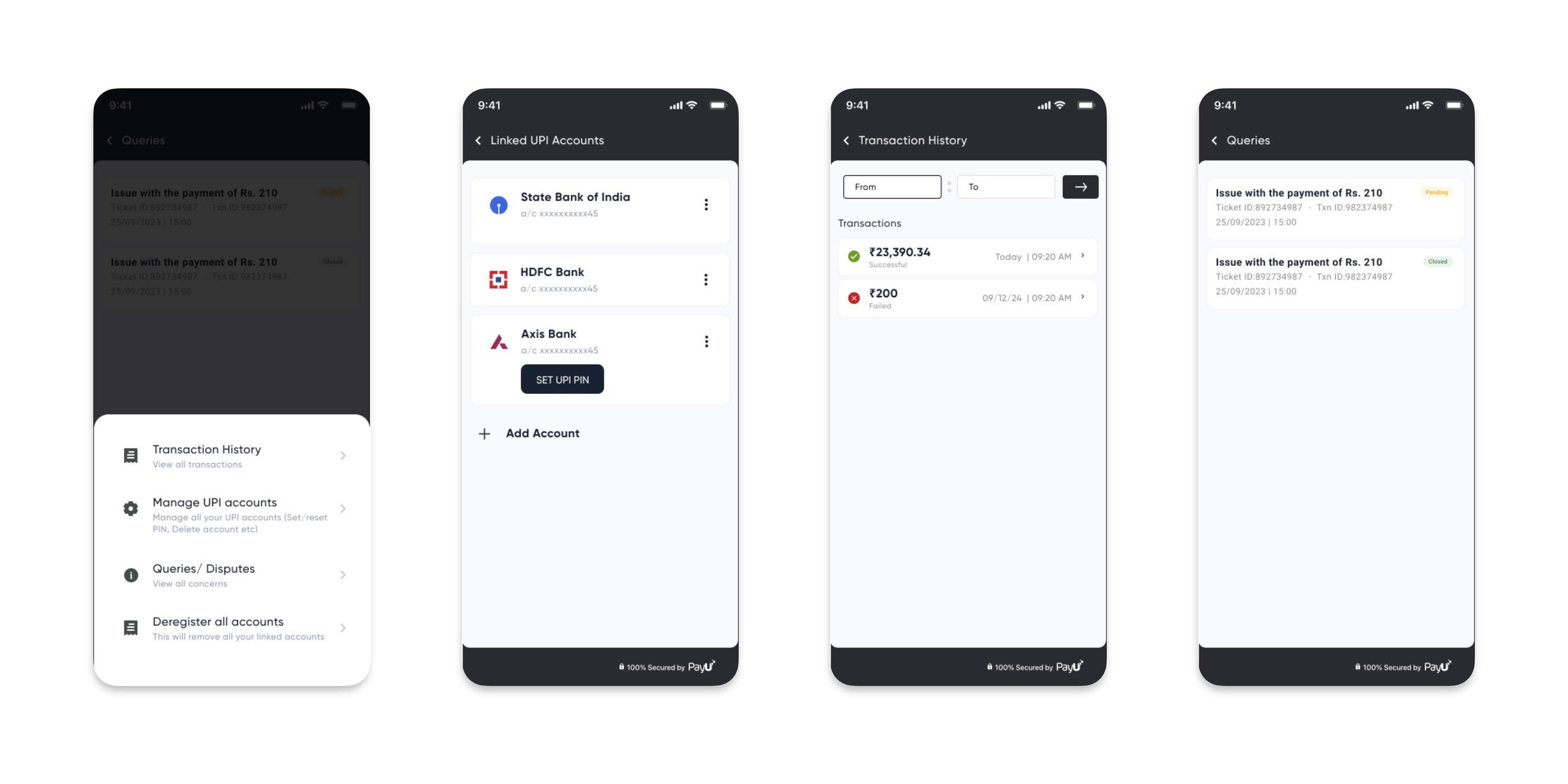
- Customers can add new bank accounts, set MPIN, change MPIN, reset MPIN, delete accounts, and check the balance of already added bank accounts.
- Transaction history can be seen and queries can be raised and resolved within the PayU UI Bolt SDK.
- Customers can see all the raised disputes from the Dispute history screen.
- Customers can also deregister their all accounts with PayU UI Bolt SDK.
Updated 3 months ago
Did this page help you?
